Local-first Zero-knowledge sync Open-source server

Your workspace. On your disk.
Under your keys.

A Notion-style knowledge workspace, database, and rich-text outliner that runs entirely on your own machine. Sync and collaboration are end-to-end encrypted: the server relays updates it has no way to read.

Download for desktop How the encryption works

Free forever for local use · No account required · macOS & Windows

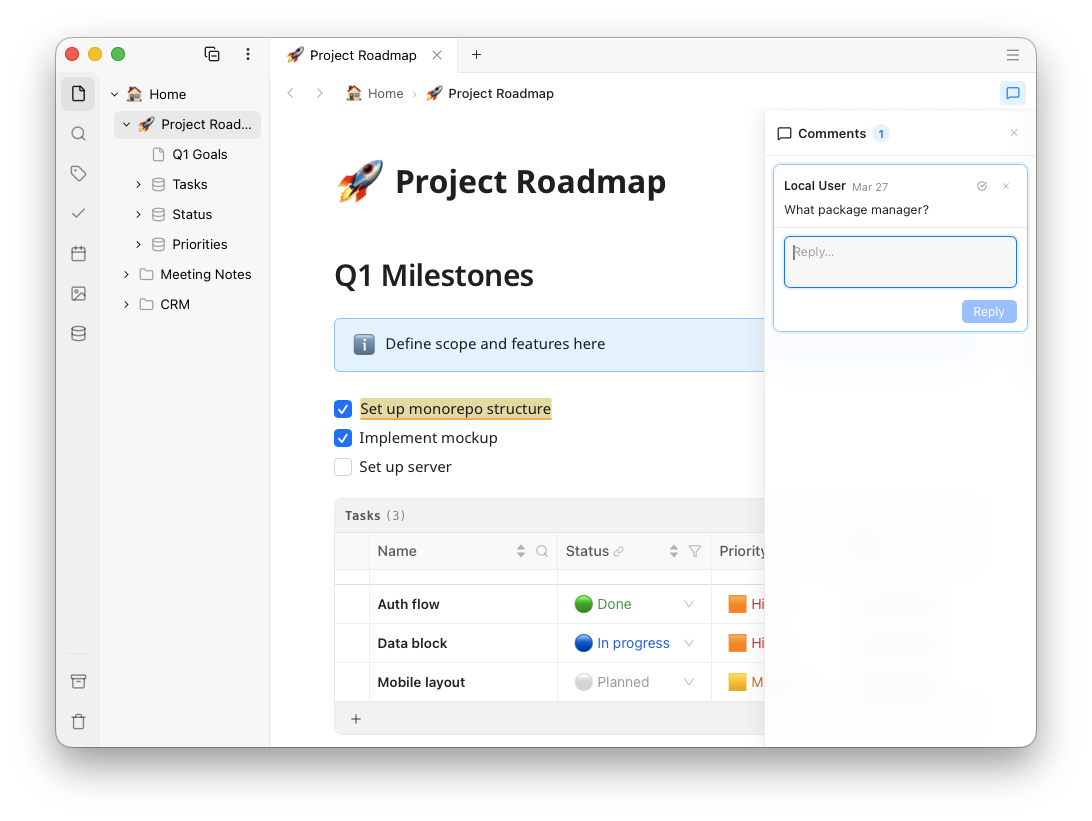
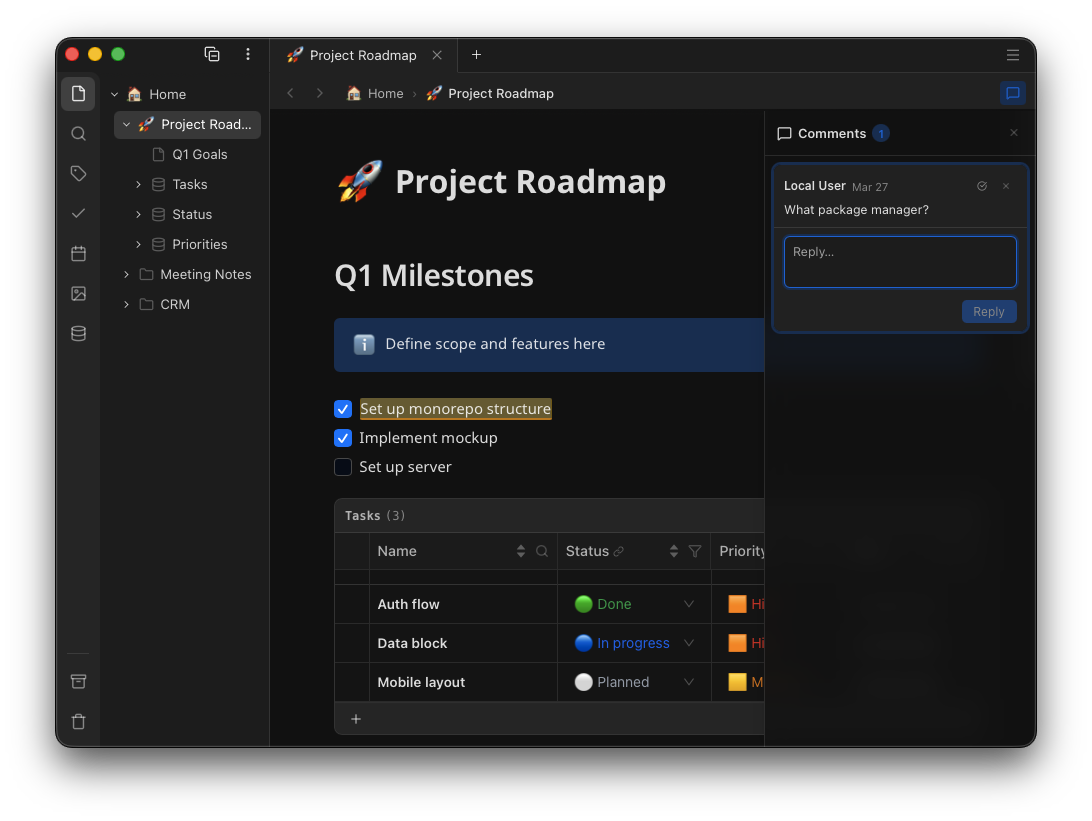
A Ubimate page with rich text, a nested outline and an inline datatable
Works fully offline Encrypted before it leaves your device Self-hostable sync server Markdown & CSV export No telemetry, no profiling Built in the EU

A false choice

Power or sovereignty? Pick both.

Knowledge tools have split into two camps, and each one asks you to give up what the other is good at.

Cloud workspaces

Notion, Coda

  • Databases, sharing and collaboration that actually work
  • Your content sits in plaintext on someone else’s servers
  • Little or nothing works without a connection
  • Leaving means an export that never quite comes back

Power, rented.

Local note apps

Obsidian, Logseq

  • Your files, your disk, readable without the app
  • Relational structure means plugins and maintenance
  • Real-time collaboration is not the model
  • Sync is an add-on with its own trade-offs

Sovereignty, alone.

Ubimate

this one

  • Outliner, editor and datatables in one local app
  • A local database plus a plain-HTML mirror of everything
  • Live collaboration over a relay that only sees ciphertext
  • Export any time, or just read the files already there

Both, on your machine.

Features

A workspace, not a notebook

Everything below is shipped and running in the desktop app today. All of it works with the network unplugged.

A block editor that keeps up

Headings, callouts, checklists, tables with merged cells, multi-column layouts, inline maths, code blocks with syntax highlighting in 22 languages. Markdown input rules and a Markdown round-trip on copy and paste.

/ slash menububble menublock handlepaste as Markdown

Outlining on every block

Indent and fold paragraphs, headings, lists, tables, code, diagrams and media alike — the structure is the document, not a separate outline view kept in step with it.

Tab / ⇧Tab12 levelsfold anything

Databases that are still text

A datatable is a fenced block holding YAML front matter and CSV rows, so it diffs, pastes into a spreadsheet and survives any editor. On top of that: twelve column types, one-to-many and many-to-many relations, multi-column sort, filters and row pages.

YAML + CSVrelationsrow pagessource mode

Diagrams, charts and media

A self-hosted draw.io editor, Mermaid and Chart.js rendered from ordinary code blocks, an image editor with filters and annotation, video and audio with size limits you set, and link previews unfurled server-side behind an SSRF guard.

MermaidChart.jsdraw.ioimage editor

Panels that build themselves

Every checkbox in the workspace in one list. Every date on a calendar. Every tag, every image, every table — each panel projected from what you wrote, with nothing to configure and no database to declare first.

taskscalendartagsmediadata

Search that runs on your device

A full-text index kept locally and persisted on desktop, re-indexing only what changed at startup. It has to be local: the server cannot read your content, so it could not search it for you even if you asked.

fuzzytitle-boostedincremental index

Collaboration over a blind relay

Live cursors, threaded comments anchored to the text, and per-block locking for the editors that need it. The relay moves encrypted Yjs updates between clients and never decodes one.

Yjs CRDTlive cursorsinline comments

A plain-HTML mirror of everything

The desktop app can keep a continuously updated copy of every page as semantic HTML files on your disk — indexed by Spotlight, readable in any browser, and still there the day you stop using Ubimate.

semantic HTMLSpotlightubimate:// links

Desktop first, browser when you need it

The desktop app, with your whole workspace in a database on your own disk, is the product. The web app is the way in from a machine you do not trust: it decrypts in memory and writes nothing to disk. Mobile is in active development.

macOSWindowsWeb

Sovereignty

Architecture, not promises

Every tool says your data is yours. What settles it is what happens when the company changes its mind about the price, about the owner, about staying in business at all. Here the answer does not depend on us keeping our word.

It runs on your machine, not ours

Ubimate is not a client for a server. It edits the workspace that is on your disk, so there is no offline mode to fall back to and nothing to fetch before you can start. A connection is how your own devices catch up with each other, and that is all it is.

It keeps a readable copy without being asked

The working copy is a local database built for editing rather than for reading. So the app also keeps an updated copy as semantic HTML unless you turn it off. That folder is the guarantee: readable, searchable, importable and publishable by software that has never heard of Ubimate.

It syncs through a server you can read and run

Sync and collaboration are the part we run for you: most people would rather not host a server. It is the same server we publish as open source, though, so anybody can check our claims, and it's available to run on your own hardware if you ever choose to.

None of this is a policy we could revise later. It is the shape of the software, and it holds whether or not we are still here.

Zero knowledge

We cannot read your content

Not "we promise not to". The keys are derived on your device from credentials the server never receives, and everything is encrypted before it is sent.

Your keys are computed, not stored

Your username fixes a salt; Argon2id turns your password into a seed; the seed derives an Ed25519 signing pair and an X25519 exchange pair. Same credentials, same keys, on every device, with no round trip.

You log in by signing, not by telling

The server sends a nonce and your device signs it. It holds your public keys and nothing else — no password, no hash, no private key ever leaves your machine.

Content is sealed before it is sent

Each workspace has its own symmetric content key, sealed to each member's public key. Document properties, Yjs updates and attachments are encrypted with it on your device. The relay forwards blobs.

What the server never sees

  • Page content and titles
  • Document properties, tags and icons
  • Datatable rows and column definitions
  • Attachment contents
  • Your password, seed and private keys
  • Your search index

Most of this does leave your device, sealed before it goes: the relay forwards blobs it has no key for. Your password, seed and private keys never leave at all.

What the server does see

  • The document tree: ids, parents, type, order
  • Timestamps of creation and update
  • How many documents, and how large the blobs are
  • Workspace and user ids, and your username
  • Who has access to which workspace

Structure and access patterns, in other words the minimum that routing and permissions need. The reasoning, and the gaps we know about, are on the security page.

Compared

Where we stand

Written to be checkable rather than flattering. Where something is partial or unfinished, it says so, including ours.

  Ubimate Notion Obsidian
Works with no account at all
Full functionality offline
Content readable without the app HTML mirror Markdown
Server cannot read synced content paid add-on
Sync server you can host yourself
Relational tables inside a page plugins
Outlining and folding on every block partial plugins
Real-time collaborative editing
Inline comment threads
Diagram and chart editors built in plugins
Mobile app in development
Template and plugin ecosystem

Pricing

The app is free.
The subscription is optional.

Everything that runs on your machine is free forever. What we sell is an end-to-end encrypted sync and collaboration service, and you can run it yourself instead.

Free

€0 local, one device

No account, no expiry

The whole desktop app, running entirely on your own machine.

  • Unlimited pages and workspaces
  • Editor, outliner and datatables
  • Local full-text search
  • HTML mirror and Markdown export
  • Works offline, always

Pro

€7.99 / month

or €79.95 a year

For working with other people on documents that are still nobody else’s business.

  • Everything in Personal
  • Document sharing and read-only links
  • Real-time collaboration
  • Guests without a paid plan

One email when it opens. No list, no newsletter, no sharing.

Or host the sync server yourself

The sync and collaboration backend — Express, the Yjs relay and SQLite — is open source at github.com/ubimate/ubimate-server. One docker compose up and your workspaces sync between your own machines, with no subscription and nothing of yours on our infrastructure.

Questions

The ones worth asking first

Can I use Ubimate without an account?

Yes, and that is the default. The desktop app has a local database and needs no server, no account and no connection. An account only exists if you want your devices synced or other people editing with you.

What happens if I forget my password?

Your local workspace is unaffected — it is not encrypted on your own machine, and it opens as it always did.

Cloud content is a different matter, and this is the honest answer: your keys are derived from your password, so nobody — us included — can recover what was synced under a password you no longer have. Anything still on a device can be re-synced under new credentials. There is no back door, which is the same property that makes the rest of this page true.

How can people collaborate if the server cannot read the document?

Collaborative editing uses CRDTs (Yjs), which merge concurrent edits without anything in the middle needing to understand them. The server relays encrypted update blobs between clients and stores them as it received them.

The workspace's content key is generated on the owner's device and sealed to each member's public key, so a member unwraps it locally. The server holds wrapped keys it has no way to open.

What can the server see, exactly?

The shape of things and not their content: document ids, parents and types, timestamps, blob sizes, workspace membership. Enough to route, order and authorise; not enough to read.

The full list, the reasoning, and the metadata questions we have not solved are on the security page.

Can I bring my Notion pages over?

An importer is planned and is not built yet. What works today is copy and paste: Ubimate reads Markdown on paste, which is what Notion puts on the clipboard, so a page arrives with its structure rather than as flat text.

What that does not carry across is a Notion database. It pastes as an ordinary table, and turning it into a datatable with relations is work you would do by hand for now. That is the part the importer is being built to solve.

Can I get my content out?

Pages export to Markdown and datatables to CSV. The desktop app can also keep a live mirror of every page as semantic HTML on your disk, which is less an export than a second copy that is always current.

And underneath it all is a plain SQLite file you can query yourself.

Can I run the server myself?

Yes. The backend is open source and runs with a single docker compose up. Point the desktop app at your own URL and sync works exactly as it does with ours — no subscription involved.

Which platforms are supported?

The desktop app runs on macOS and Windows. There is no Linux build of it, and the Linux part of Ubimate is the sync server: that is a Docker image meant to be run on your own machine, and it is open source. On a Linux desktop, the web app is the way in.

The web app works in any current browser and deliberately stores nothing locally, which also makes it the right way in from a machine you do not own. The mobile app is in active development: the editor and page tree work, and the remaining tabs are being built out.

What if I stop paying?

Sync and collaboration stop. Nothing else does: the app keeps working on your device with everything already in it, and you can export or self-host whenever you like. Your content was never being held hostage.

Start with the free desktop app

No account, no trial clock, nothing to cancel. Sync is the part you add when you want it, the app is complete without it.

Download for desktop Read the server source

macOS 13+ · Windows 10 and 11